
Quickstart
By the end of this page, Claude will change your Blender scene while you watch. You’ll add the Blender MCP extension to Blender, log in once through your browser, and type a request in Blender’s own sidebar. Nothing else needs installing.
You need Blender 4.2 or newer and a web browser. Never used Blender? It’s free and takes about ten minutes to install: Get Blender walks you through it.
Install and log in
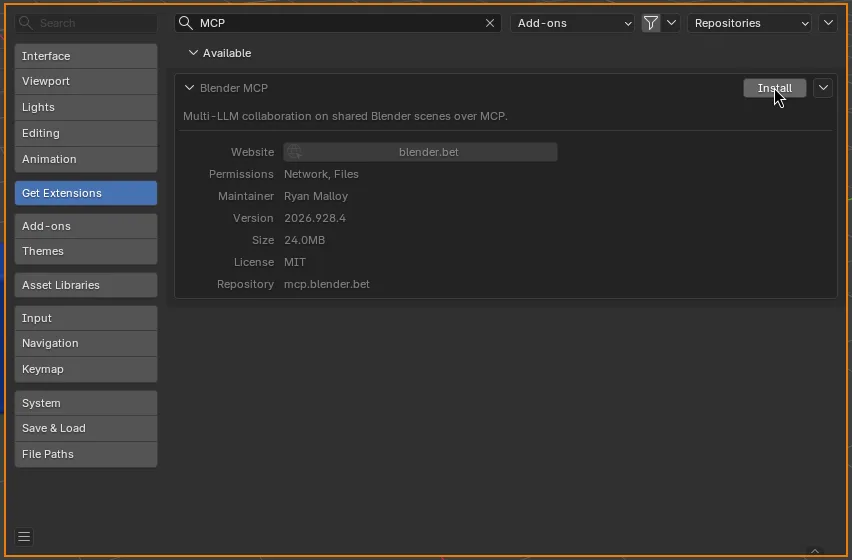
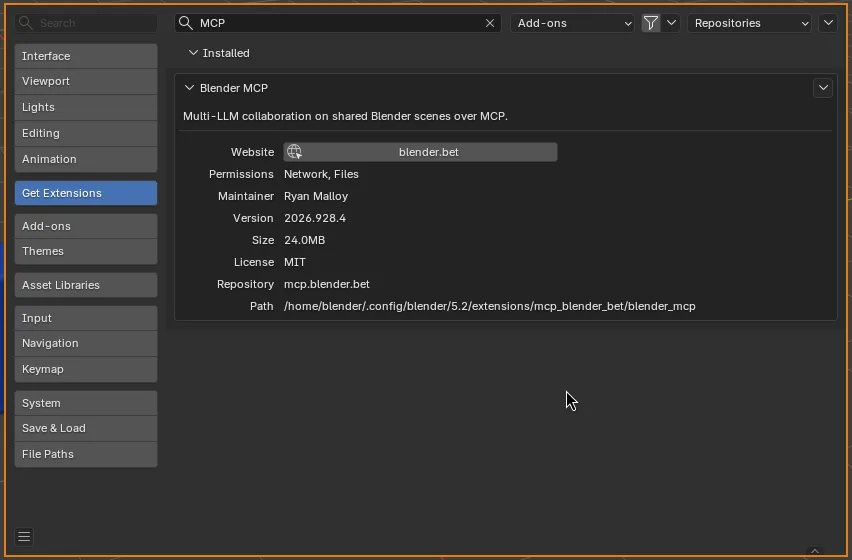
Section titled “Install and log in”Do these in Blender. You’re done when the BlenderMCP panel reads Connected · Personal (step 11).
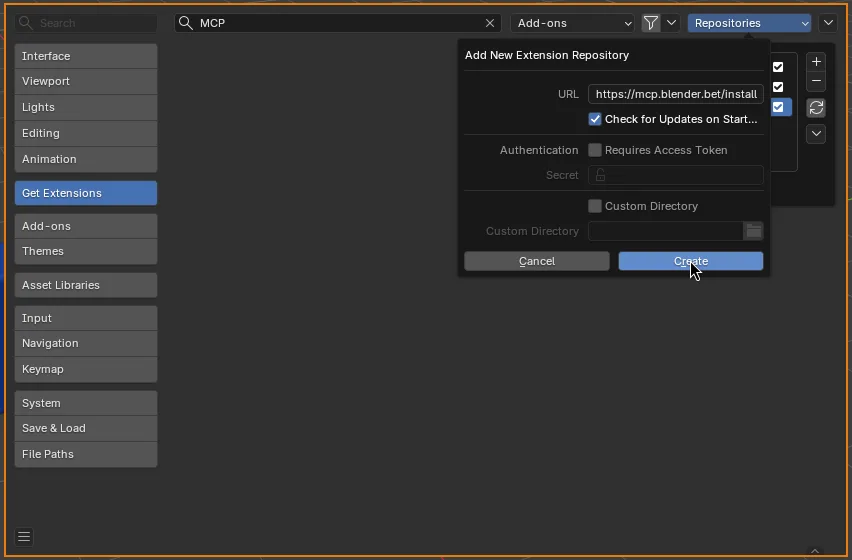
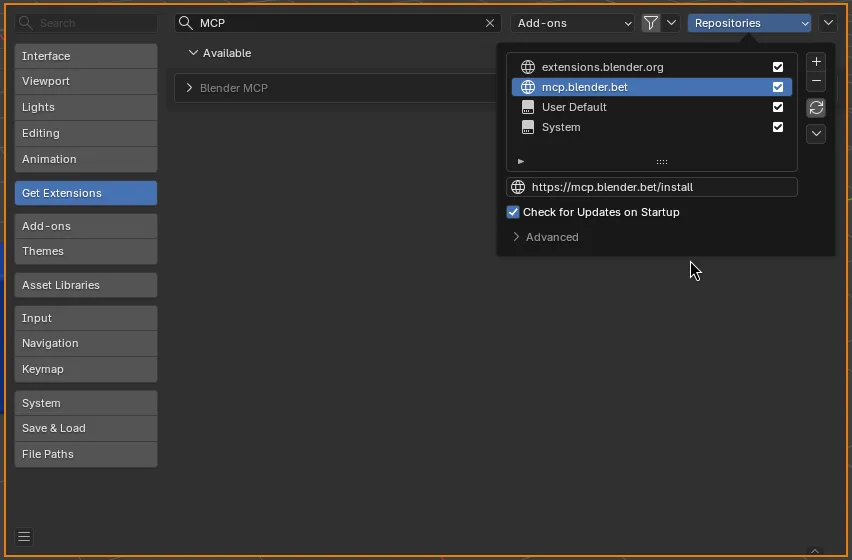
Takes about two minutes in Blender 4.2 or newer. Add this repository once, and Blender keeps the add-on up to date from then on.
https://mcp.blender.bet/install 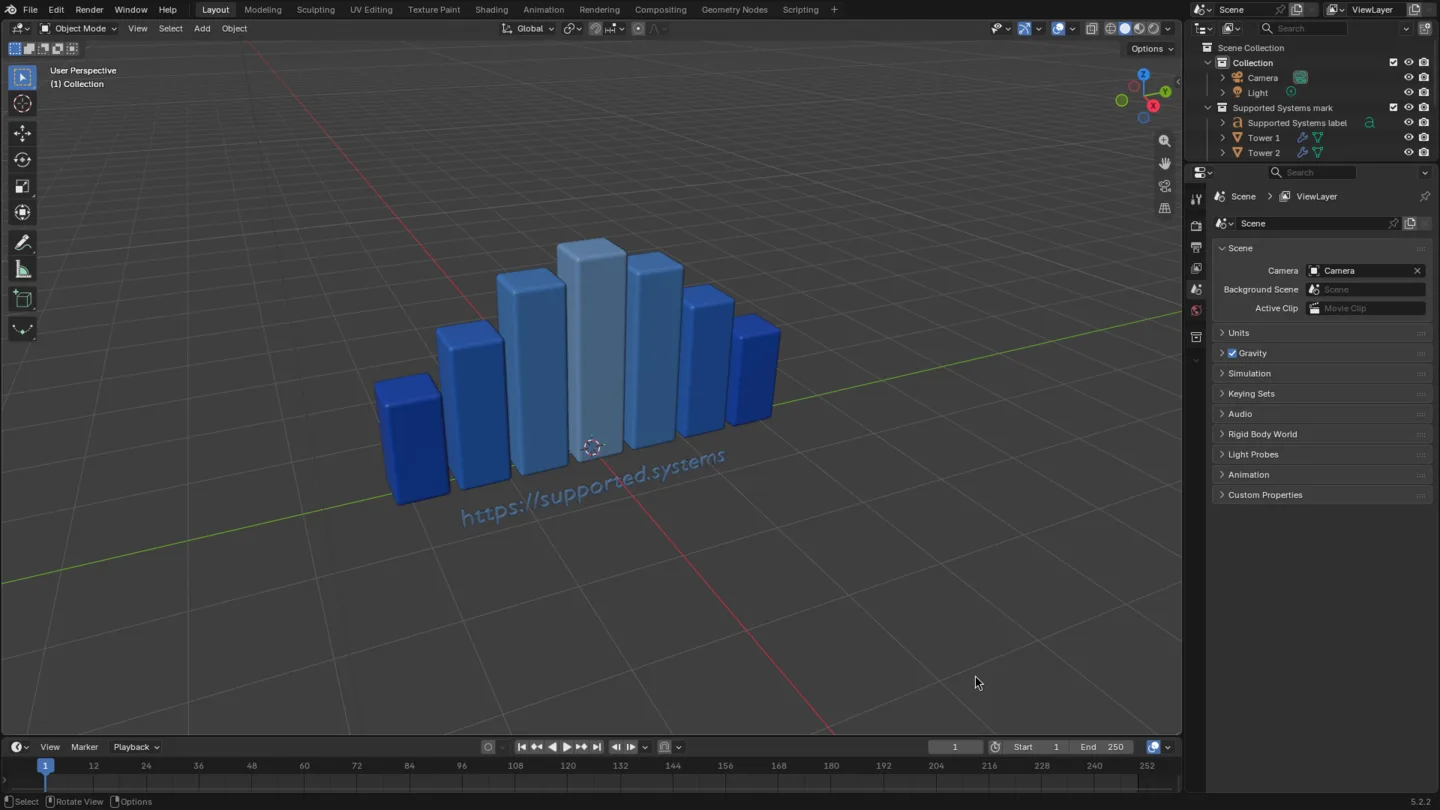
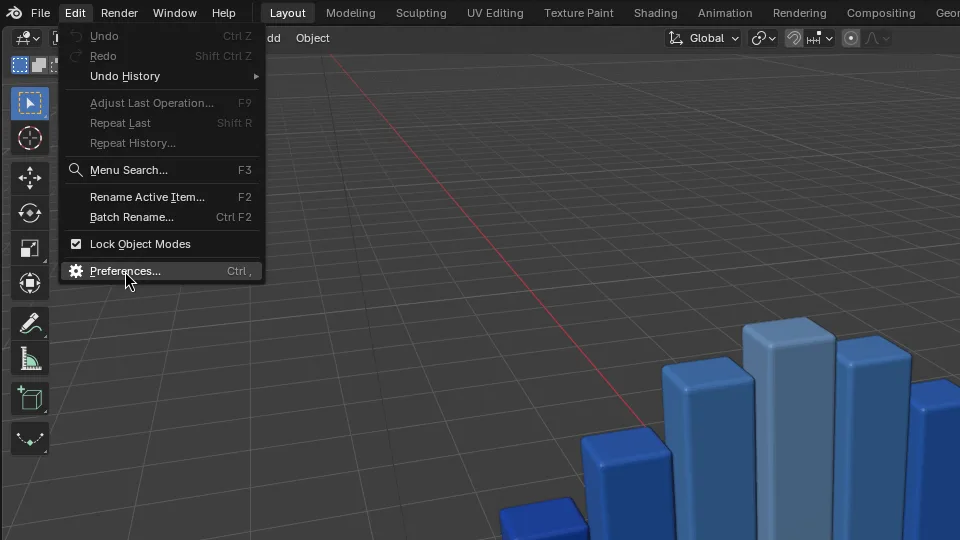
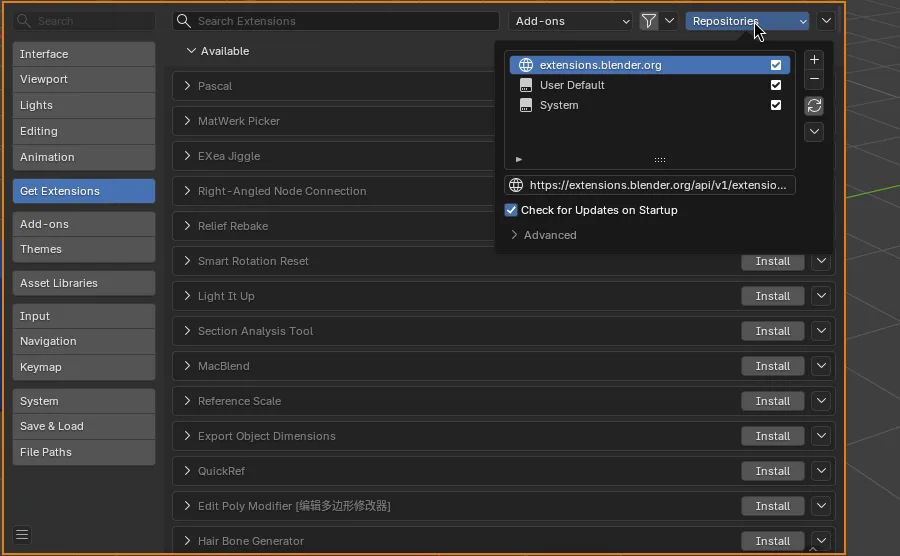
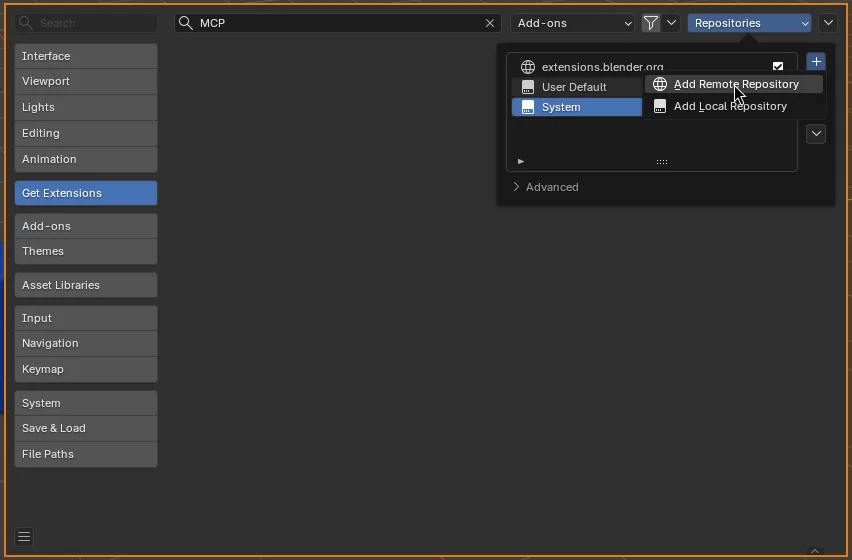
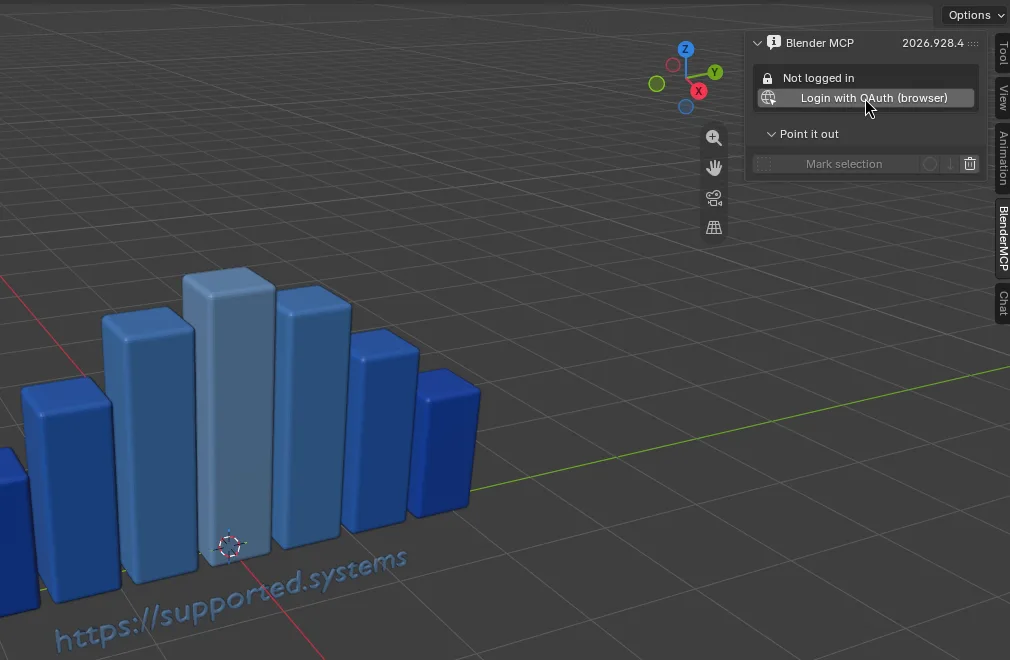
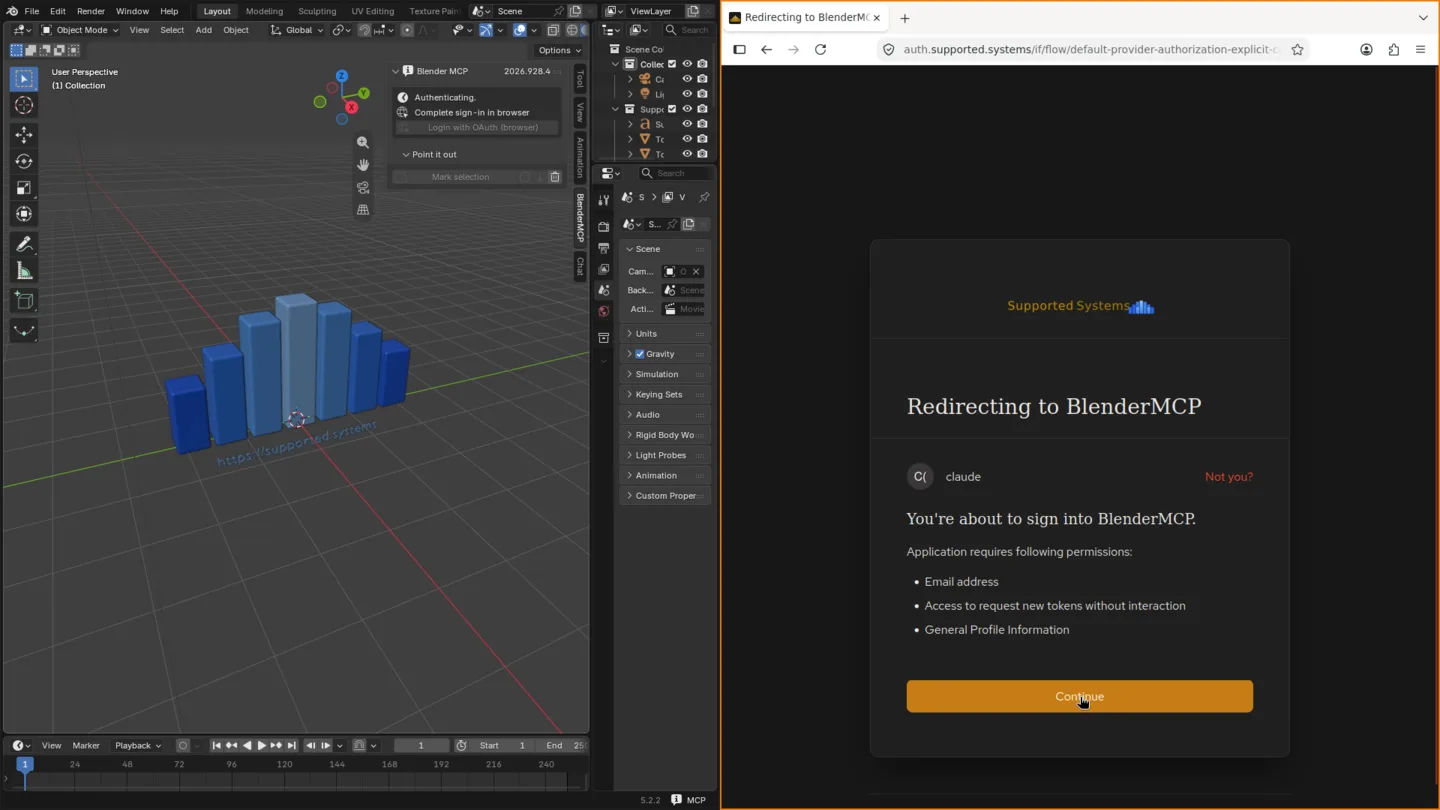
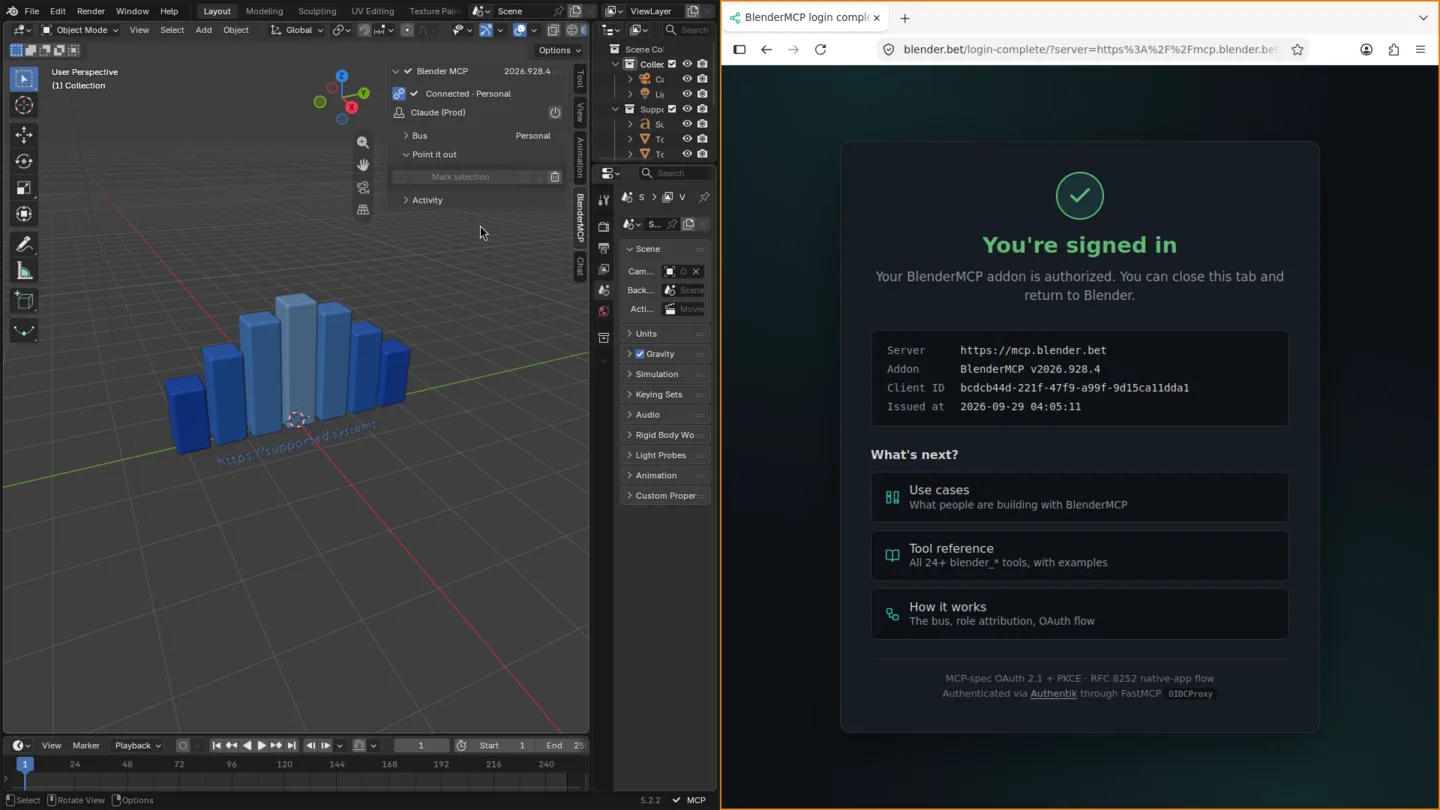
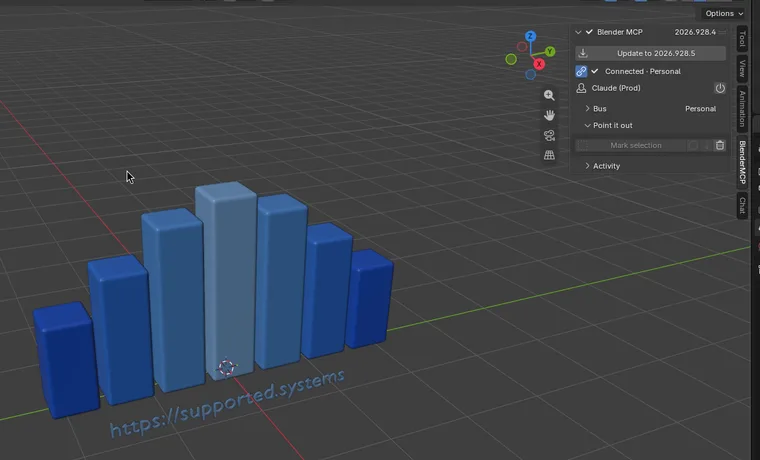
Ask Claude for a change
Section titled “Ask Claude for a change”Below the connection status in the BlenderMCP tab is the Chat panel. New accounts start with a free trial, and the panel shows how much of it is left.
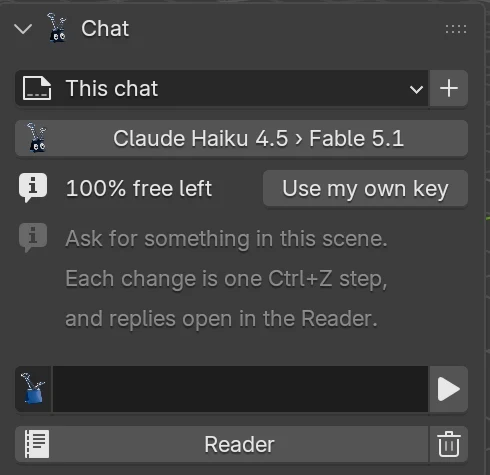
Click the message field, type this, and press Enter:
What's in my Blender scene?Claude looks at your scene and describes what’s there. On a fresh file that’s the default cube, a camera and a light. Now ask for a change:
Add a sphere next to the cube and make it orange.Watch the viewport: the sphere appears and turns orange. Each change Claude makes is one Ctrl+Z step, and Undo last chat change takes back a whole reply at once. If Claude needs to run Python, the panel shows the code first and waits for Allow or Deny.
Chat inside Blender covers the rest: clipping objects to a message, the Reader, and choosing a model.
When the free trial runs out
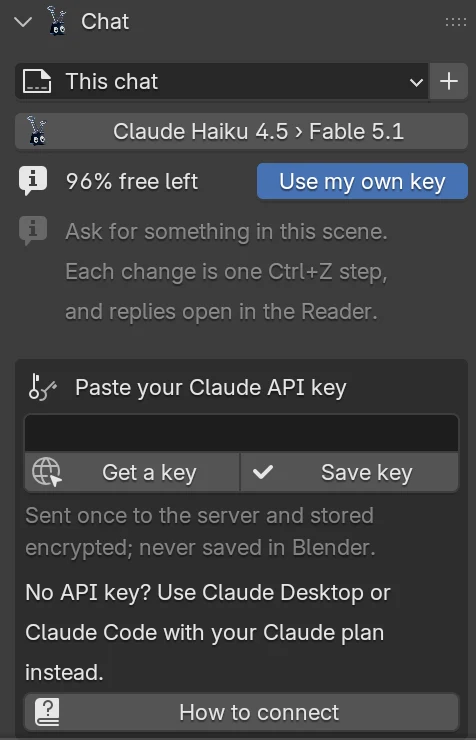
Section titled “When the free trial runs out”When the trial is used up, or any time you click Use my own key, the panel asks for a Claude API key. No key? The box’s How to connect button explains how to use Claude Desktop or Claude Code on your Claude plan instead.
-
Click Get a key. It opens Settings › API keys in the Claude Console. Sign in, or create an account if you don’t have one, then click Create key. The Console shows the key, which starts with
sk-ant-, only once, so copy it right away. -
Paste the key into the field in the Chat panel and click Save key.
-
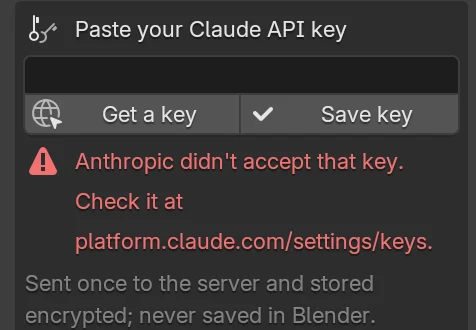
The server checks the key with Anthropic before saving it, then the box closes and you can carry on where you left off.
Your key is sent to the server once and stored there encrypted. It is never saved in Blender’s preferences or your .blend file, and from then on your requests are billed to your Anthropic account. To remove it, open Edit › Preferences › Add-ons › Blender MCP and click Clear backend under Chat backend.
For every step in detail, including changing the model and what to do if a key is turned away, see Use your own Claude API key.
Use Claude Code or Claude Desktop too (optional)
Section titled “Use Claude Code or Claude Desktop too (optional)”The same server works with other MCP clients, which helps when you’d rather drive Blender from the tools you already use. It’s also the way to keep going after the free trial without an API key: Claude Desktop and claude.ai can add the server as a custom connector on every Claude plan, including Free (which allows one custom connector). Your client connects to https://mcp.blender.bet/, exactly as written with no /mcp on the end, and signs in with the same account you used in Blender. The server only shows a client the Blenders logged in as the same person, so a different account finds nothing to talk to.
claude mcp add --transport http blender https://mcp.blender.bet/Start Claude Code, type /mcp, pick blender, and authenticate. Your browser opens the same sign-in page you saw from Blender.
-
Open Settings › Connectors and click Add custom connector.
-
Name it
Blenderand enterhttps://mcp.blender.bet/as the URL. -
Click Connect and sign in through the browser.
Then ask the same questions as above in that client. These clients use your own Claude plan, not the Chat panel’s trial or an API key.
Next steps
Section titled “Next steps”
A Supported Systems Joint
BlenderMCP is built and maintained by Supported Systems, a small studio that writes software for people who have to keep it running afterwards.
Visit supported.systems